
For readers, and the people they read with
Every book you read, kept.
Write a thought the moment it lands, or say it out loud. Your Kindle highlights arrive in the right book with one tap. All of it stays yours, in a private journal — until you hand a book to one person or open it with your club, and even then nothing shows before they’ve read that far.
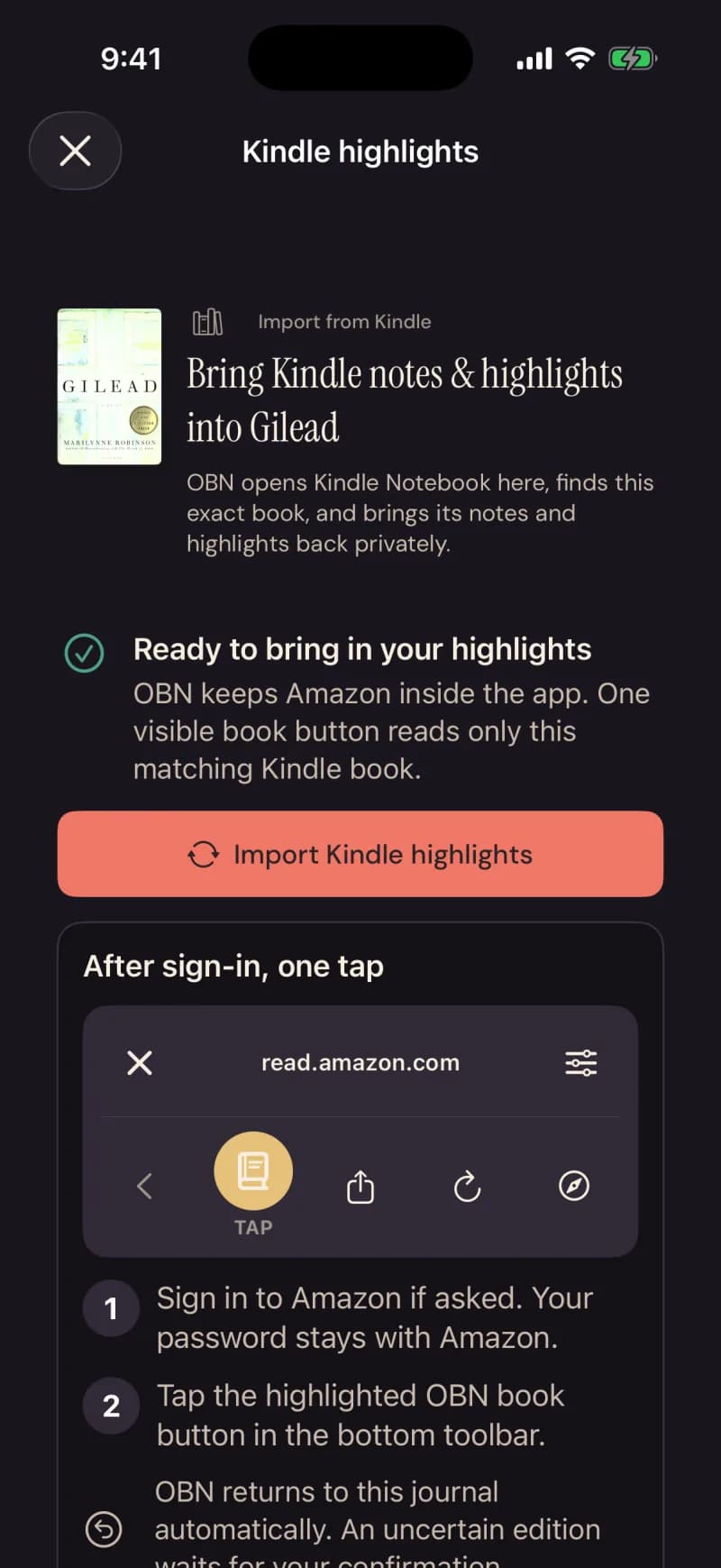
In these screens the app calls itself OBN — short for Our Book Nook.
Bring in books
Your Kindle highlights, already in the right book.
On iPhone
Open a book you’ve added in Nook and tap Import Kindle highlights. Amazon’s own highlights page opens inside the app; sign in if it asks — your password stays with Amazon. One tap on the toolbar, and every highlight and note from that book lands in its journal.
The scan runs on your phone. A complete scan of a book Nook is sure of goes straight into the journal; a partial scan, or an edition it isn’t sure of, waits for you to look it over. What comes in is private, checked against Amazon’s own count, and never shared with a club unless you choose to.
Readwise, Goodreads, StoryGraph and the rest bring their books the same way: you choose what comes in, it stays private, and nothing is ever sent back. A source reads as available only while it is switched on. How each one works
Your reading
The thought you had on page 212 shouldn’t die there.
One book, one journal. Every note you write, every word you say out loud, every passage you photograph off the page — filed at the chapter you were on, or the page, waiting the next time you open the book.
Hold the Speak a note button and talk; it’s written down for you, and it saves with no signal.On iPhone Marking your page, or your chapter, whichever the book uses, works on the web too. Keeping a word beside the line you found it in is the phone’s.
Your reading, in fullYour reading space
A reading space of your own.
A quiet green page for the morning. Worn paper and a little gold for the evening. Give your reading a place that feels like you.
The Nook, Paper Morning, and Lamplit Library are included with Our Book Nook. Every style has light and dark appearances.
We’re building toward a collection of styles by independent creators. For now, start with the three made by Our Book Nook.
See how styles work
Reading now · Page 88 of 258
The Remains of the Day
Kazuo Ishiguro
Some places feel like coming home.
Reading now · Page 88 of 258
The Remains of the Day
Kazuo Ishiguro
Some places feel like coming home.
Sample reading views
Clubs
A club that arrives already talking.
Clubs are private and invite-only. A note you write in a club’s book is locked for anyone who hasn’t reached that page yet — so you can be honest about chapter nine while your friend is still on chapter three.
A lit light means someone’s reading right now. Say something while you’re both in the book; it rests in the margin for the club to find later.
The meeting has a host, a table, a door, and a night that runs from the notes you all already wrote. Before it, Rodney — the app’s reading helper, not a member and not a chatbot — reads the club’s notes and prepares the guide — the passages people caught on, the question worth opening with, the thing one person noticed that nobody else did. After it, the finished book goes on the shelf with the quote of the night.
How a club month worksReflections & friends
Give someone your whole reading of a book.
When you finish, everything you said inside a book — in the order you said it — can be handed to one person. They open it against their own copy, any edition, and your notes meet them chapter by chapter, each locked until they’ve read that far. When they’re done, they write back, and only the two of you can read it.
Friends are the people you handed a key to: an invite that works once, no search, no directory, nothing to count. A small lamp in their own ink when they’re reading; a feed called Lately that is short, and ends; a folded corner you can pass on.On iPhone
Reflections and friends, in full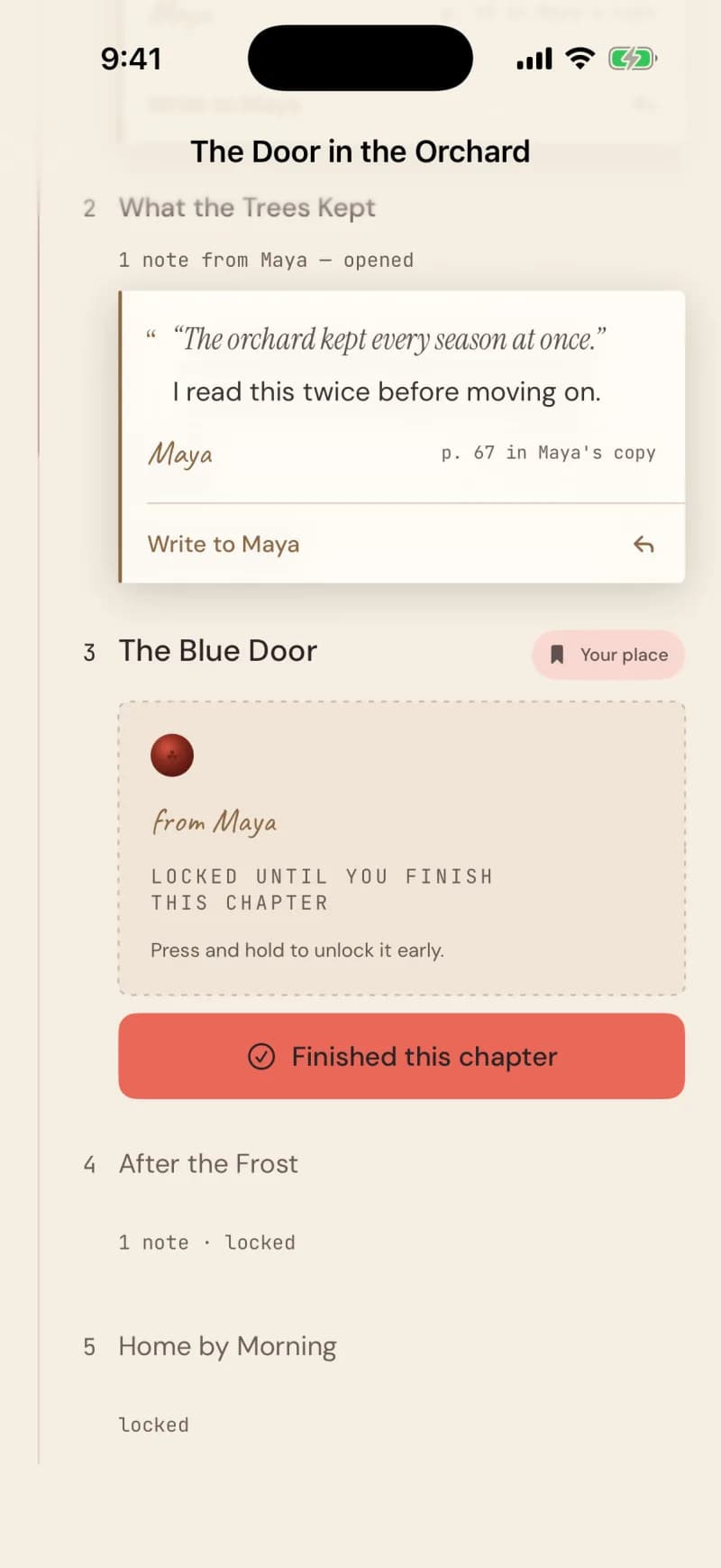
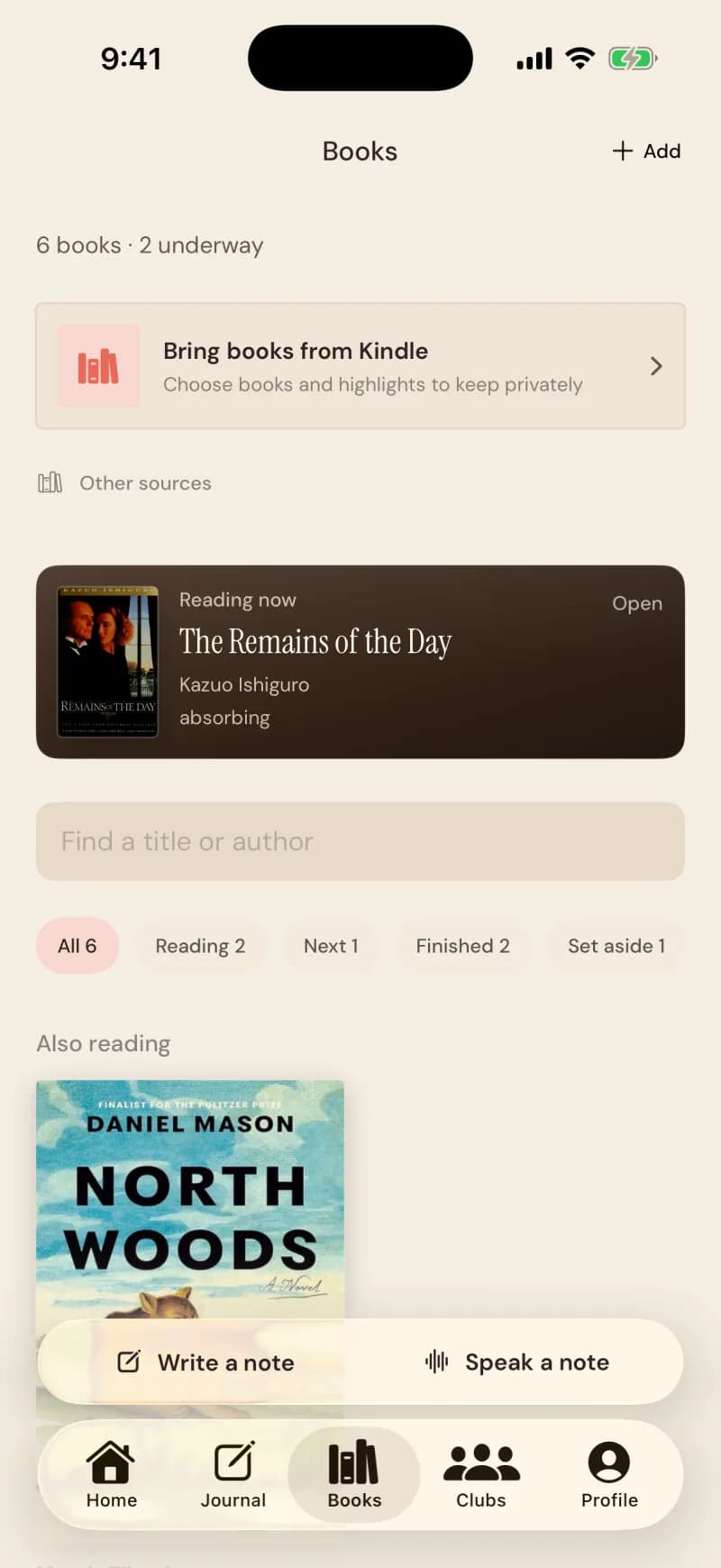
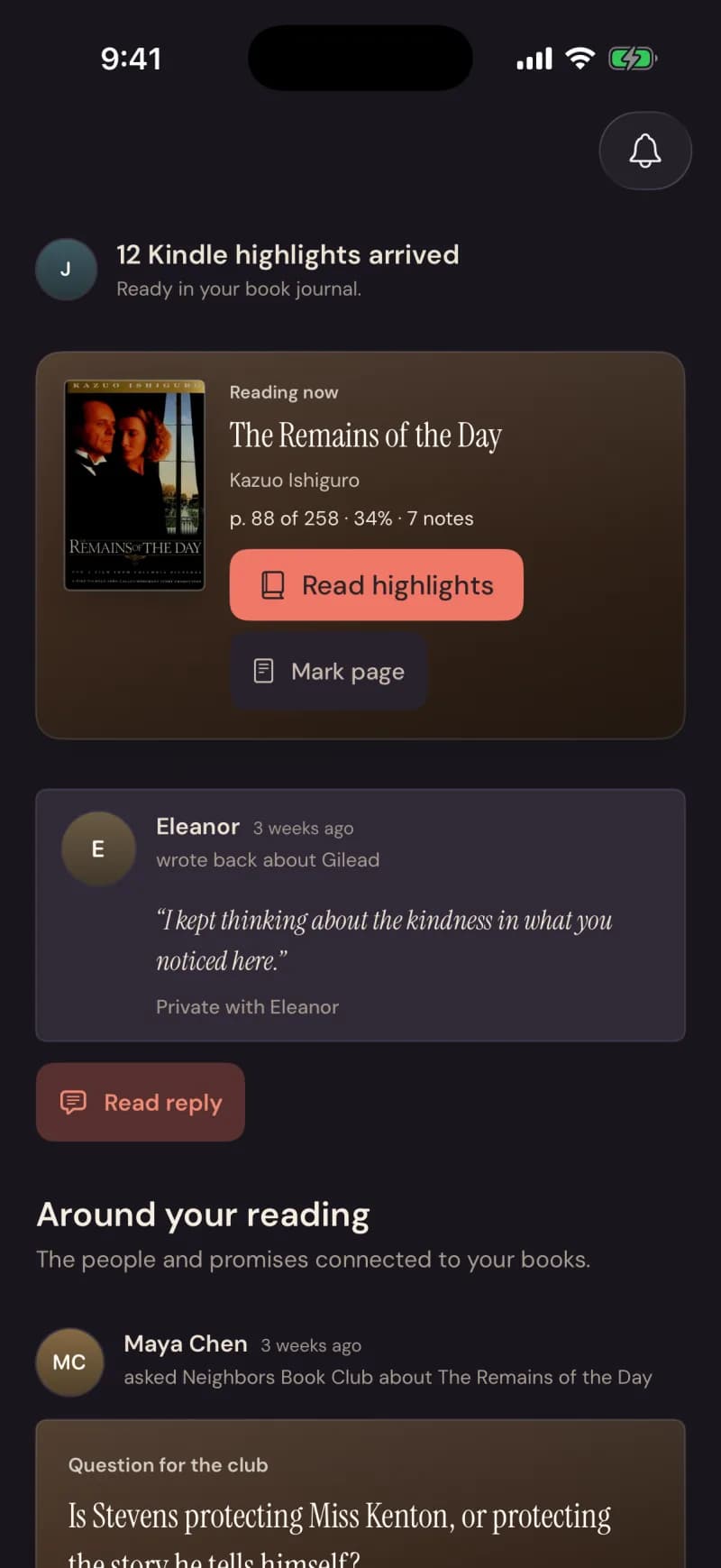
Real screens from the app, Paper Morning and Lamplit Evening.
iPhone
The whole thing, in your pocket.
Sign in with Apple. Tell Siri “Add a note to Our Book Nook.” Keep your current book on the Home Screen, and a small lamp on the Lock Screen while you read — the book, about an hour in, whose lamps are lit beside yours. No stopwatch, no pages per minute.
Notes save on the phone first and send themselves later. A finished book is written down before you’ve left the tap.
The app is in TestFlight now — Apple’s way of sharing an app with a small group first. Ask, and we’ll send an invitation to your Apple ID email.
Your reading recap
Six books, and who you were for each one.
Every book you finish takes its place on your shelf. Whenever you like, your reading recap turns what you kept into a few plates: your numbers, the book you filled, the first thing you wrote, and what kind of reader you are.On iPhone
It refuses to count some things on purpose: minutes spent, and pace against a goal. Nothing here is a score.
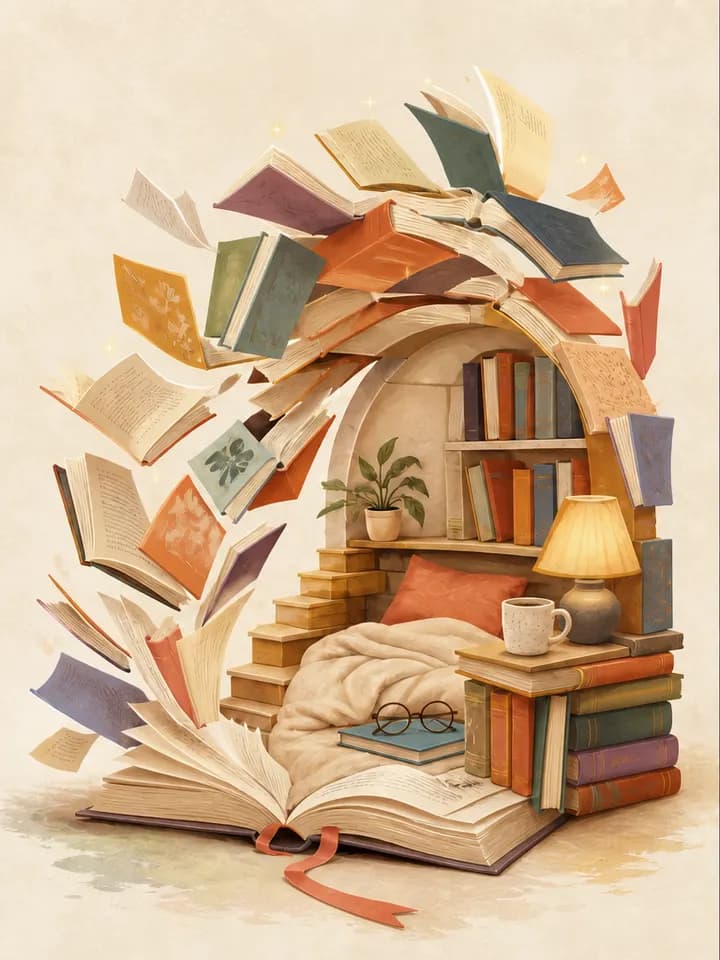
What kind of reader you are
You read to argue
Your margins fill with questions — you read with one eyebrow raised, and the book is better for it.